Returns a named character vector mapping class labels to hex color codes. Colors are assigned deterministically: class labels are sorted alphabetically before assignment, so the same class always receives the same color regardless of the order the classes are supplied.
Value
A named character vector where names are the unique sorted class labels
and values are hex color codes (e.g., "#E6194B").
Details
The first 20 classes are assigned colors from a curated palette of visually
distinct hues designed for use on both light and dark backgrounds. For more than
20 classes, additional colors are generated using the golden-angle method
(hue = (index * phi) %% 1 where phi = 0.618...), which produces perceptually
distinct colors with uniform spacing in HCL space.
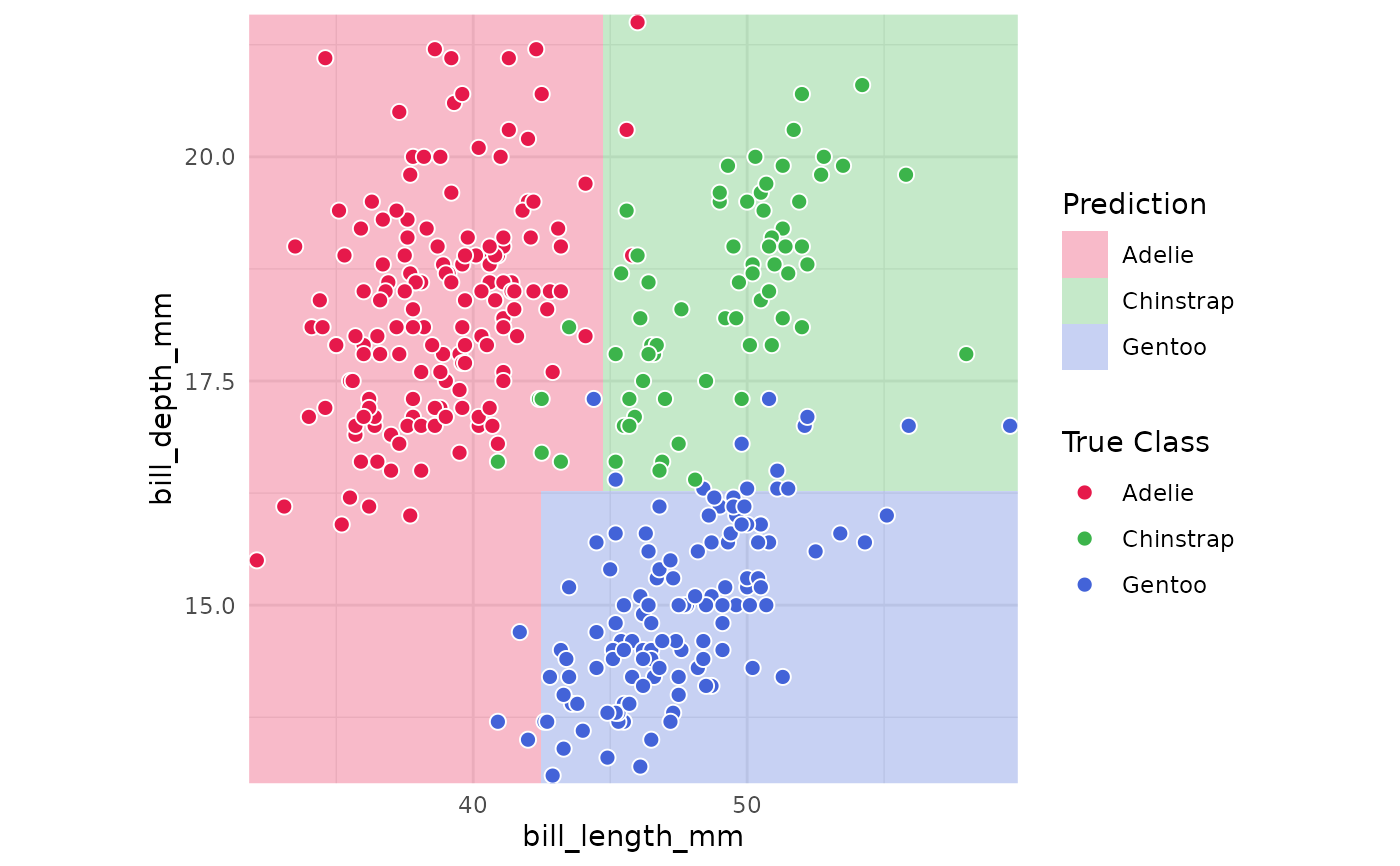
plot_boundary() uses this palette by default. If an RColorBrewer palette is
requested via palette = but cannot accommodate the number of classes (e.g.,
"Dark2" supports a maximum of 8), it automatically falls back to
classbound_palette().
Examples
# 3-class palette
classbound_palette(c("Adelie", "Chinstrap", "Gentoo"))
#> Adelie Chinstrap Gentoo
#> "#E6194B" "#3CB44B" "#4363D8"
# Colors are alphabetically ordered, so order of input doesn't matter
identical(
classbound_palette(c("B", "A", "C")),
classbound_palette(c("C", "A", "B"))
)
#> [1] TRUE
# Use in plot_boundary() via the palette argument
# \donttest{
library(palmerpenguins)
data(penguins)
peng_data <- na.omit(penguins[, c("species", "bill_length_mm", "bill_depth_mm")])
m <- fit_model(peng_data, species ~ ., rpart::rpart)
m <- boundary_compute(m, resolution = 50)
plot_boundary(m,
obs_data = peng_data, x_col = "bill_length_mm",
y_col = "bill_depth_mm", true_label = "species"
)
 # }
# }